Infrared
Send universal commands, learn buttons from your original remote, replay a saved signal, or choose an external transmitter.
Before you start
Use the M1 with devices you own or have permission to operate. Don’t point an IR transmitter at anyone’s eyes or sensitive optical equipment.
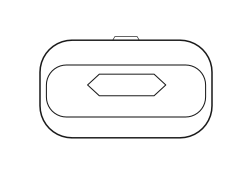
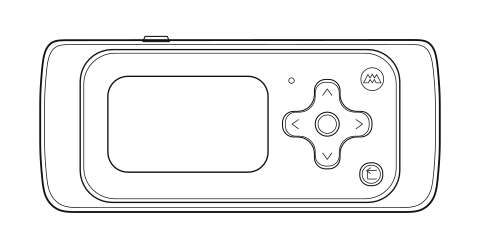
Infrared requires line of sight. Point the M1 transmitter toward the device’s IR receiver.
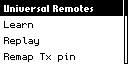
Universal Remotes
Universal Remotes uses the installed infrared database for common devices.
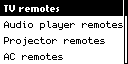
TV remotes
TV Remotes gives you common controls for power, sound, and channels.
Select each displayed Power, Mute, Volume, or Channel command, aim at the television, and press Center. Keep the M1 aimed at the TV while it tries compatible codes. Press Back to stop.Audio player remotes
Audio Player Remotes gives you common playback and volume controls.
Choose the displayed Power, Play/Pause, Previous/Next, Volume, or Mute command, aim at the player, and press Center.Projector remotes
Projector Remotes gives you common power and volume controls.
Choose the displayed Power, Volume, or Mute command, aim at the projector receiver, and press Center.AC remotes
AC Remotes gives you common controls for power, temperature, and operating mode.
Choose the displayed Power, temperature, heat/cool, or dehumidifier command. Aim at the indoor unit until transmission ends, then verify the unit display.If the device still doesn’t respond after the M1 tries every saved code, use Learn with the original remote.
Learn
Learn receives one command from an original infrared remote and displays the decoded values.
- Aim the original remote at the M1 receiver from a short distance.
- Press one remote button briefly.
- Keep alignment until protocol, address, and command appear.
- If nothing appears, move closer and try a fresh battery.
- Press Back to cancel or to exit after the M1 captures the signal.
Replay
Replay transmits a learned or saved infrared command to the selected device.
- After learning a command, open Replay or choose an infrared file you’ve already saved.
- Review protocol, address, and command.
- Point the M1 at the device you want to operate.
- Press Center to transmit.
- Wait for the signal to finish sending, then check whether the device responds.
- Press Back to stop or return.
Use action names such as TV_Power or Projector_Mute when organizing commands.
Remap Tx pin
Remap Tx pin selects the built-in infrared transmitter or a supported external output.
- Power off and disconnect external hardware.
- Connect the ground, power, and IR output lines exactly as shown.
- Use Left and Right to select the displayed output.
- Press Back after confirming it.
- Test at a safe distance.
Do not drive a high-current IR LED directly from an unverified GPIO. Use the documented driver and voltage domain.
Troubleshooting
| Problem | What to do |
|---|---|
| Universal command fails | Let the M1 try all available codes. If none work, use Learn. |
| Learn finds nothing | Move closer, replace battery, and aim directly. |
| Fields change | Use a brief consistent press and avoid strong ambient IR. |
| Replay unreliable | Move closer and check that the transmitter is working. |
| Wrong device reacts | Stop and move other devices out of range before trying again. |
Visual guide
Need help? Email support@monstatek.com and include the firmware version and screen name.